Link in bio tool for the links that matter
Give visitors a clear next step: your shop, newsletter, or current launch. Keep one page address while the links behind it change, and review which destinations people click.
 By Lena Hartwig, Product and scheduler
Updated on November 10, 2026




Links that show up at the right time
Add links, sort them by drag and drop and give them a preview image. Highlight the important ones, and give time-limited offers a start and end date.
- Links with a preview image
- Highlight what matters right now
- Visible from, visible until
Four designs that suit your profile
Pick one of four designs for your page. It includes your profile picture, name, description and links to your profiles.
- 4 designs: Sun, Petrol, Cobalt and Raspberry
- Your own address in the format …/bio/yourname
- Made for phone screens
See what gets clicked, without IP addresses
You can see how often your page was viewed and each link was clicked, plus the trend per day. We don't store IP addresses for this, just an identifier whose key changes every day.
- Clicks per link
- Page views and clicks per day
- Individual clicks for 90 days, then only daily totals
How it works
Choose your address
Pick your name for the address …/bio/yourname.
Add your links
Title, link, preview image and, if you need them, a start and end date.
Put it in your bio
Copy the address into your Instagram or TikTok bio.
 Ceramico Studio

Make the next click easy to choose
A useful link in bio page answers the question your latest post creates. If you just showed a new mug, visitors should recognize the mug link without searching through unrelated buttons. Use destination-specific labels such as “Pre-order the speckled mugs” rather than “Learn more.”
Keep the current priority near the top, then arrange ongoing destinations below it. Your shop, care instructions, and newsletter can stay available without competing equally for attention. Choose from four designs to give the page a consistent look. Before promoting the page, open each destination on your phone and check that its title matches what the button promises.
Plan a pre-order link around your launch
Add the pre-order destination with a clear title and a thumbnail showing the mugs.
Set its visibility to begin at launch time and end when the pre-order closes.
Place it above the ongoing shop link and feature it for the launch.
Prepare the announcement in the social media scheduler for the same launch time.
Open the link page when the launch begins and test the path through to the ordering page.
The scheduled visibility controls whether the button appears on your link page. It doesn't open or close ordering on your shop website. Set those controls in the shop too, so the destination and the announcement agree.
Connect the bio, the post, and the DM
Use the same page address in your bio and in a DM when someone needs several choices. For the mug launch, Ceramico Studio could use a comment keyword to send visitors the page containing pre-orders, care information, and the regular collection. Crowdbird's comment-to-DM automation supports that workflow on Instagram and Facebook.
If someone asks specifically for the pre-order, a direct product link may be clearer than the full page. Choose the destination based on the request, not just because you already have a bio page. During your weekly report review, look at link clicks alongside post performance, keeping those two sources of information separate.
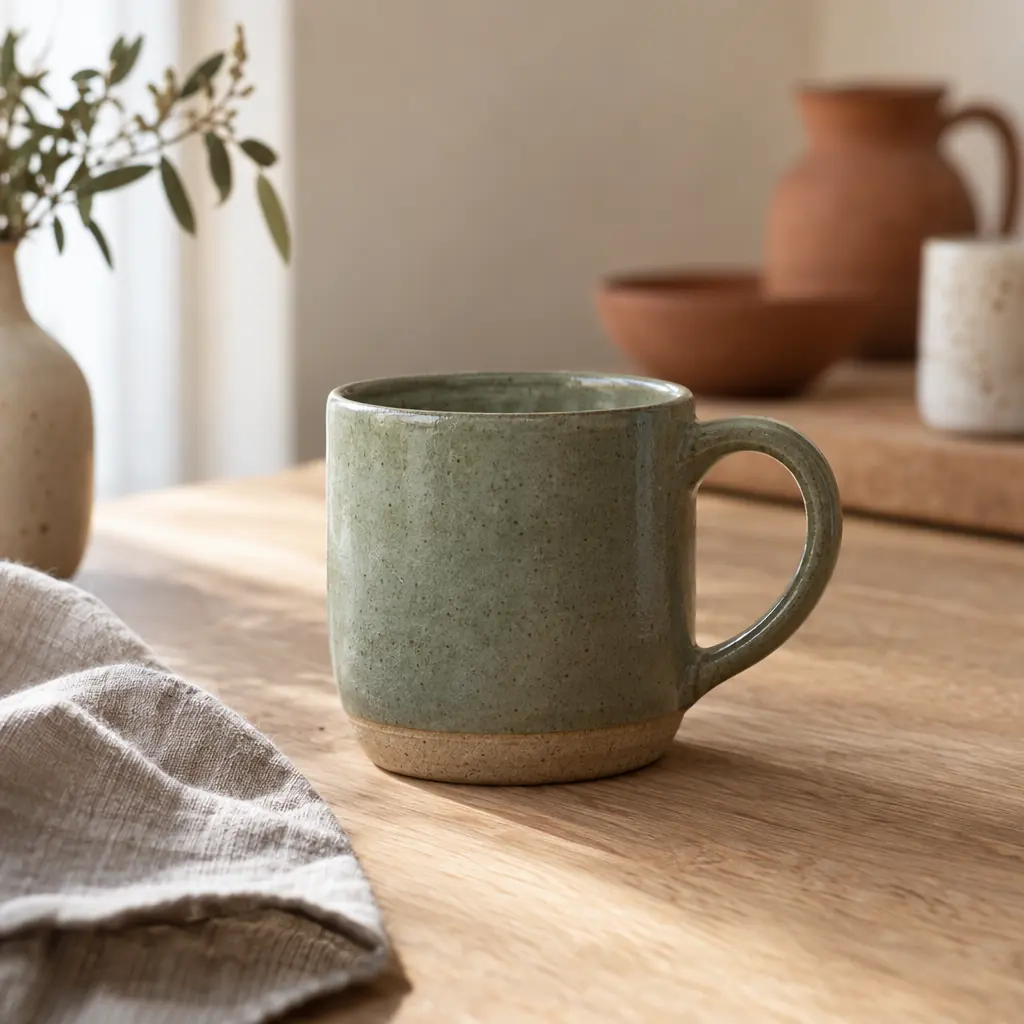
Put the address in the right profile field
Add your page address as your Instagram bio link, then make your post's instruction match the link title visitors will find. The Instagram link in bio guide focuses on organizing that path from profile to destination.
On TikTok, the clickable website field depends on follower count and account type, so not every account has it. Check whether your account has the website field before writing video captions that direct viewers there. The TikTok link in bio guide helps you plan around that requirement.
Read clicks without guessing where they came from
Review clicks per link to see which destinations visitors selected, then use daily totals to spot changes around your content activity. Ceramico Studio might compare attention to pre-orders with clicks on the care guide. Those counts describe link activity, not purchases.
Crowdbird doesn't attribute a click to a particular post or video, so a rise after an announcement isn't proof that the announcement caused it. It also doesn't offer a custom domain. If you're weighing a dedicated link page against a shared workspace for posts, DMs, and links, the link page comparison guide walks through that choice.
What is a link in bio tool?
A link in bio tool creates a single page that directs visitors to several destinations. You put that page's address in your social profile, then add links to your shop, newsletter, booking page, or other content. Crowdbird lets you arrange those destinations, feature a priority link, and set when individual links appear.
Where do I find a link in someone's bio?
Open the creator's social profile and look for the website link in the profile area. That link may lead straight to a website or to a page with several choices. If a post mentions a particular product, look for the matching title on that page. Don't assume the first button is the right destination.
Can I use my own domain for my link in bio page?
No, Crowdbird doesn't support custom domains for link in bio pages. You choose a page address, also called a slug, within a Crowdbird URL. If using your existing website domain is a requirement, this feature won't meet that need. You can still include links from your Crowdbird page to pages on your own website.
Can I schedule a link to appear and disappear?
Yes, you can give a link a start and end date to control its visibility. This is useful for pre-orders, registration periods, or other destinations that should only appear during a specific window. You can also switch links on or off yourself. Check the destination before its start time so visitors reach a ready page.
What can I see in link in bio analytics?
You can see daily page views and clicks, plus click counts for individual links. Crowdbird counts visitors without storing IP addresses. These numbers help you review which destinations people selected, but they don't identify the Instagram post or TikTok video responsible for a click. They also aren't a record of purchases or completed registrations.
Can I put a clickable website link in my TikTok bio?
TikTok offers the clickable website field only to some accounts, depending on follower count and account type. Check whether the website field is available in your account before planning around it. Once that field is available, you can add your Crowdbird page address there and use the page to organize the destinations you mention in videos.
Can I send my link in bio page through an automated DM?
Yes, you can use your page address as the link in a Crowdbird comment-to-DM automation on Instagram or Facebook. A comment containing your chosen keyword triggers the message. A destination-specific link may be a better choice when someone asks for one item. Crowdbird doesn't offer TikTok DM automation, so that workflow isn't available there.
What does the link-in-bio page cost?
Nothing. Your link-in-bio page is part of the Free plan, so it keeps working without a paid plan.
Which designs can I choose?
Four: Sun, Petrol, Cobalt and Raspberry. Each one shows your profile picture, name, description, your links and links to your profiles.
How long do you keep click data?
Individual clicks for 90 days, after that only the daily totals. No IP addresses are stored, only an identifier whose key changes every day.
 12:30
 18:30
 12:00
 18:30
 19:00
 12:00
 18:30
 17:00
 17:30